Container management for iPhone and iPad
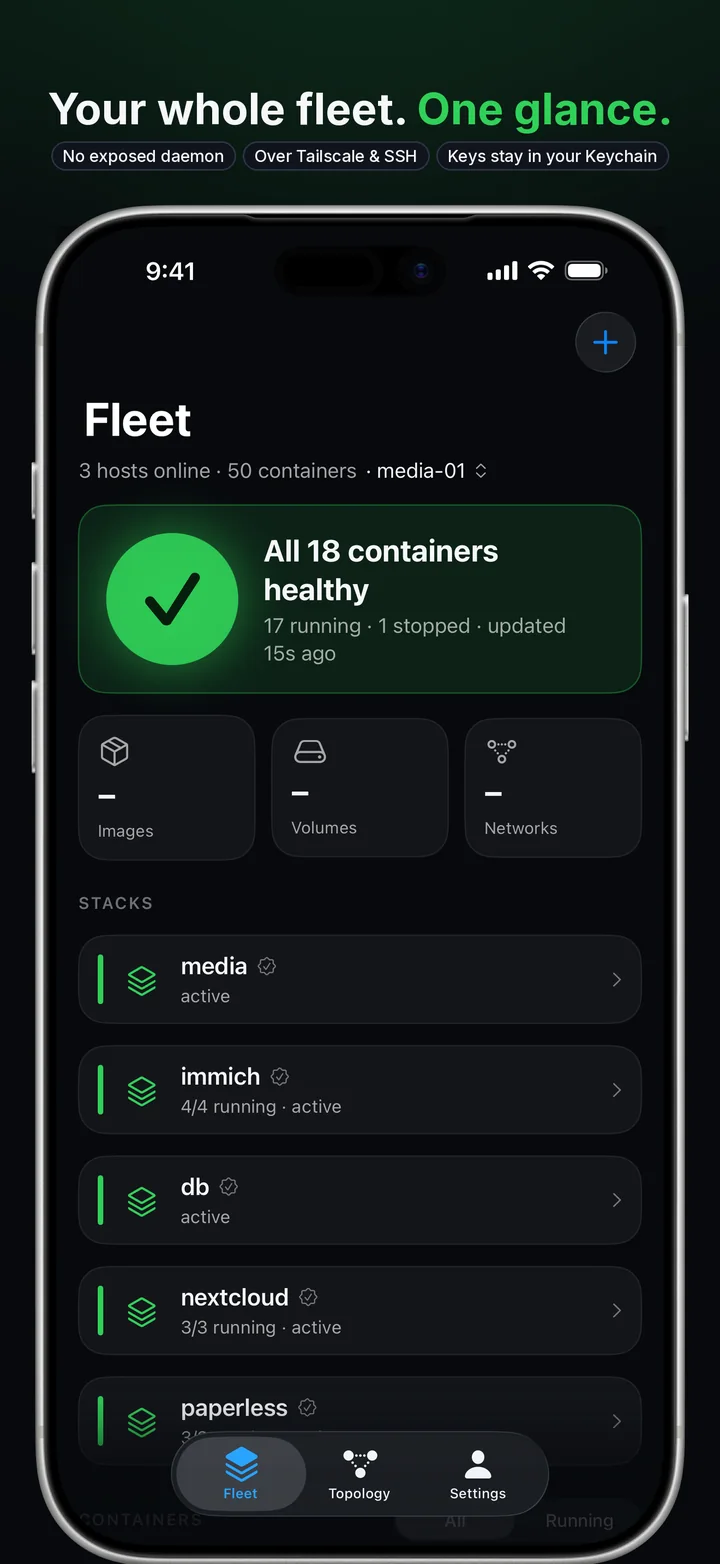
Your whole fleet.
One glance.
meshDeck shows every container on every host, finds what's broken on a live map, and helps you fix it. Over Tailscale or SSH, with no port exposed and no account to create.
What it does
Everything you reach for, in one app.
Docker, Podman and Portainer hosts, side by side. Built native for iPhone and iPad, so it is fast and reads at a glance.
Fleet at a glance
Every host and container as a live card with status and CPU, and memory and history a tap away. Colour is never the only signal.
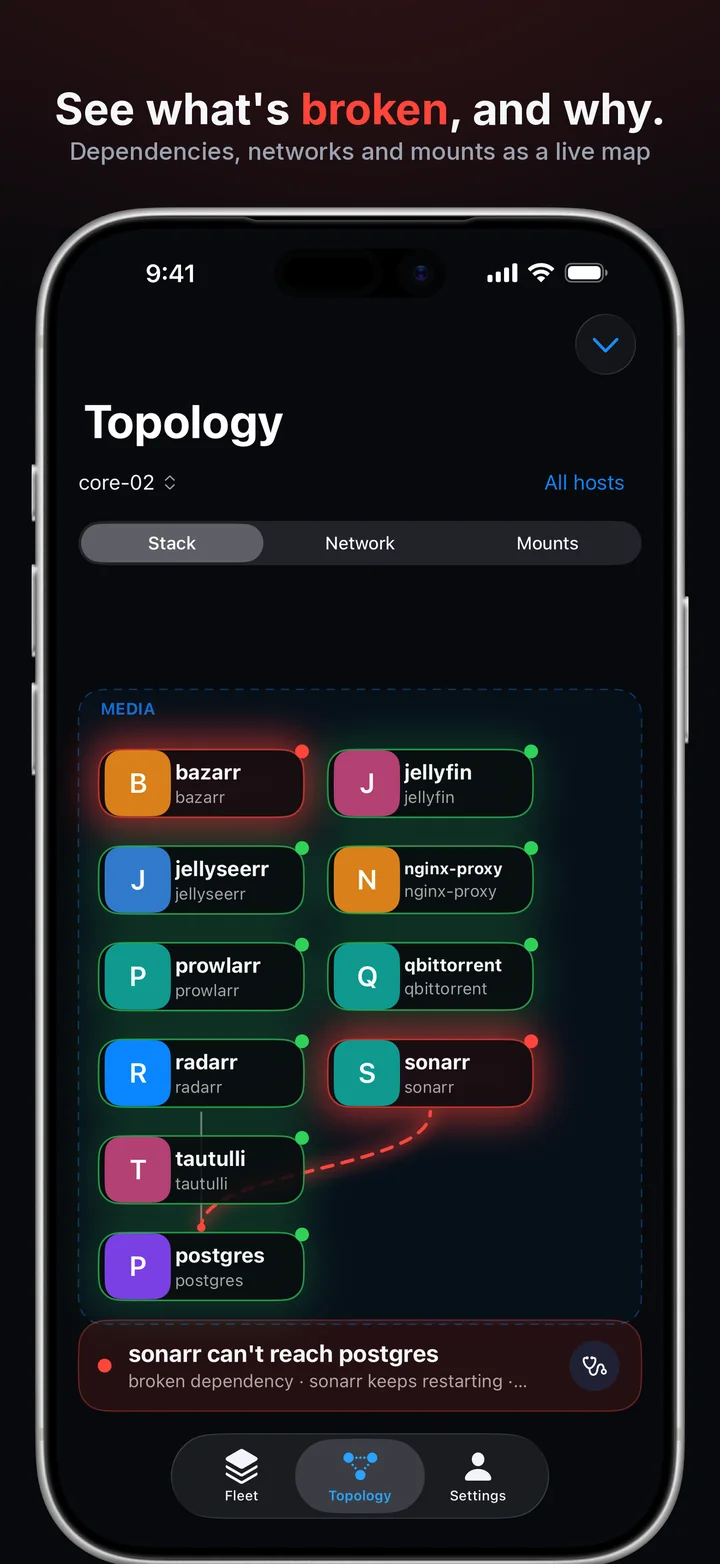
A live map
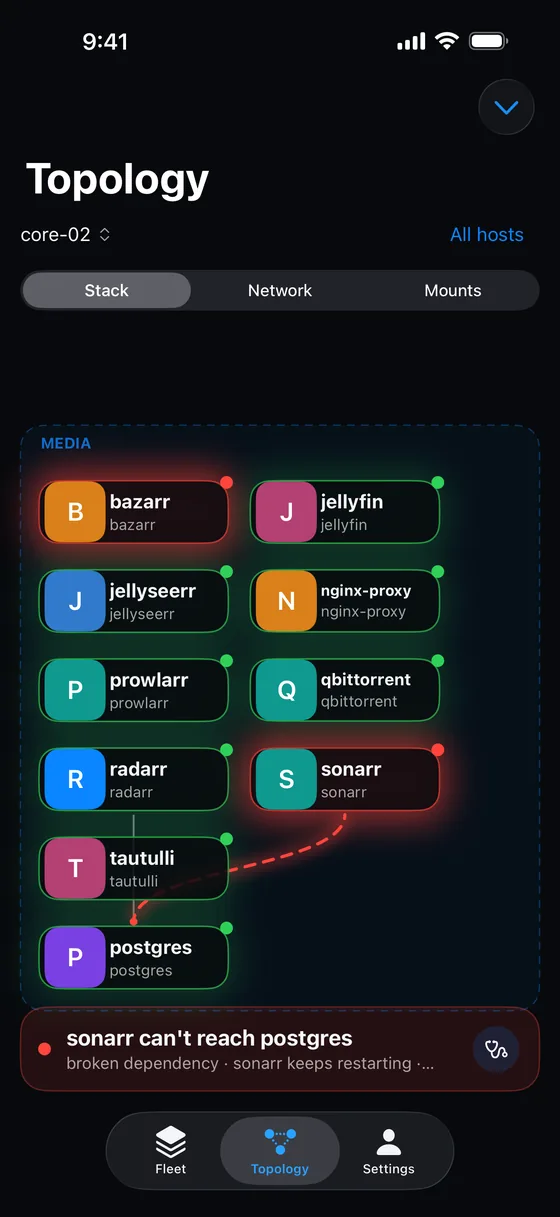
Networks, mounts and dependencies drawn as a graph, with the broken link marked.
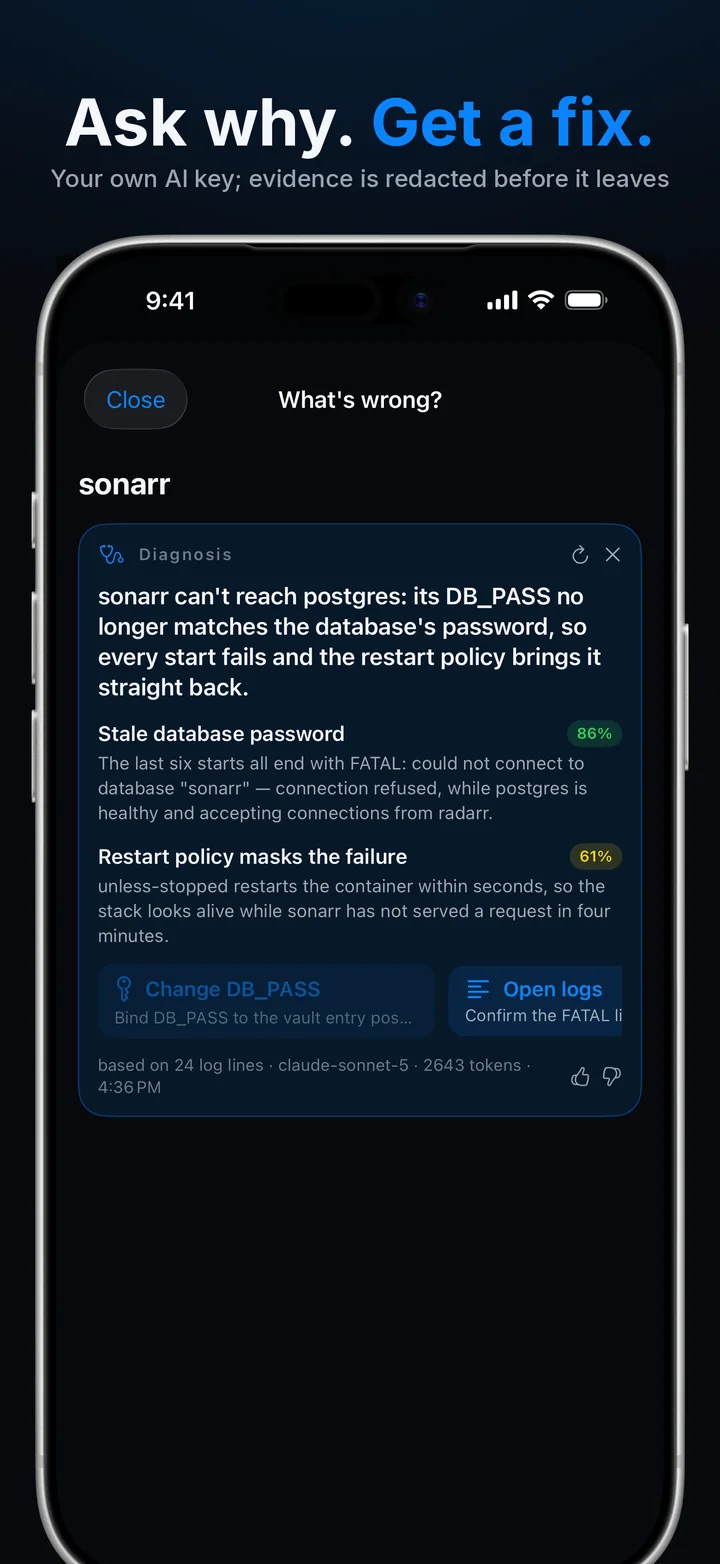
Ask why
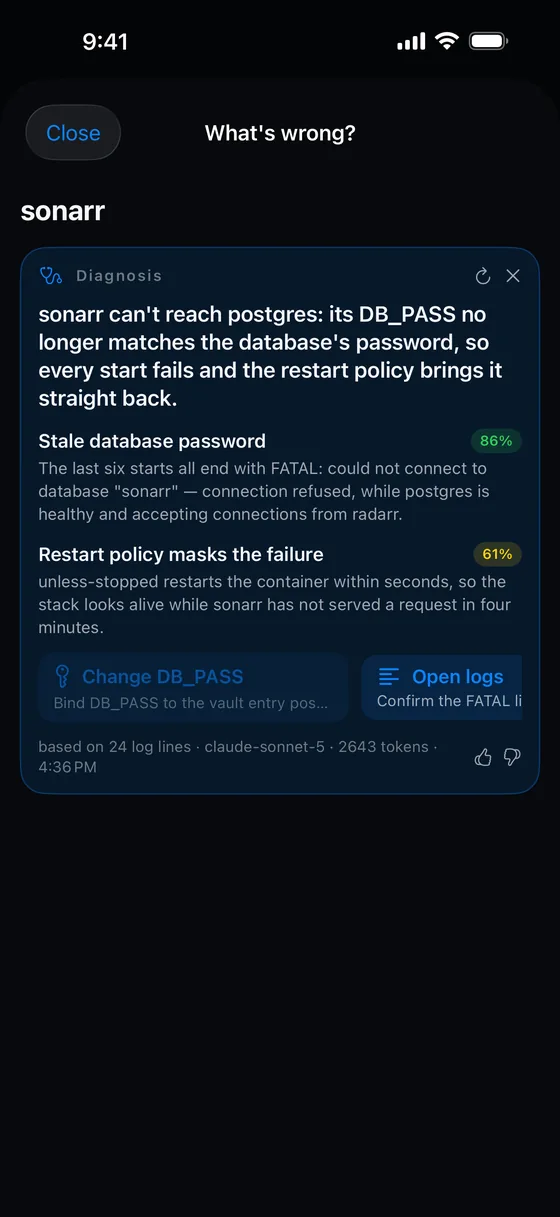
Bring your own AI key and get a plain-English cause with actions the app can perform. Nothing runs until you tap it.
Logs that read themselves
Levels coloured, errors flagged, a filter inside, and a switch for errors and warnings.
A terminal in the container
Open a shell in a running container without leaving the app.
Draw a stack
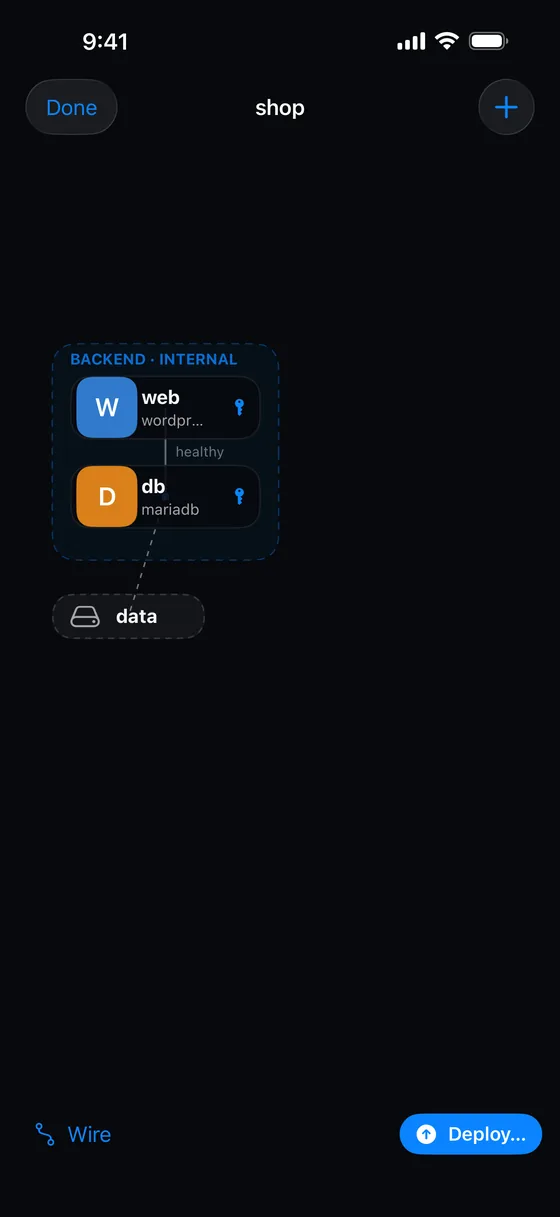
Services, wires and volumes on a canvas become a compose file you can deploy.
Systems
Group stacks across hosts, then deploy in order and stop or start them as one.
A vault for secrets
Passwords and keys live in your Keychain and are referenced by name, never pasted into YAML.
Trust on first use
Host keys and certificates are pinned. If one changes, the connection waits for you.
Find it
See what's broken, and why.
A restart loop rises to the top of the fleet instead of hiding in a list. Open the topology and the failing link is marked on the map, with the containers on either side of it.
- Dependencies, networks and mounts as a live graph
- Group by stack or network
- One tap from a red node to the diagnosis
Fix it
Ask why. Get a fix.
meshDeck sends a redacted evidence bundle to the AI provider you chose, with your own key, and only after you agree. You get a plain-English cause and actions the app already knows how to do.
- Anthropic, or any OpenAI-compatible server, including one on your own network
- Nothing runs until you tap it, and there is no chat
- No shell, and no way to run a command, for the model
Deploy it
Draw a stack. Deploy it.
Drop services onto a canvas, wire them together, add volumes and networks, and meshDeck writes the compose file. Deploy to a host, or save the draft and come back to it.
- Templates, a Git repository, or a compose file of your own
- Group stacks across hosts into a system, deployed in order
- Secrets referenced by name, sent to the host only at deploy
How it connects
Nothing exposed. Nothing in the middle.
meshDeck reaches your hosts the way careful people do. It never asks you to open Docker's or Podman's API to the internet, and there is no server of ours between your phone and your hosts.
On iPad
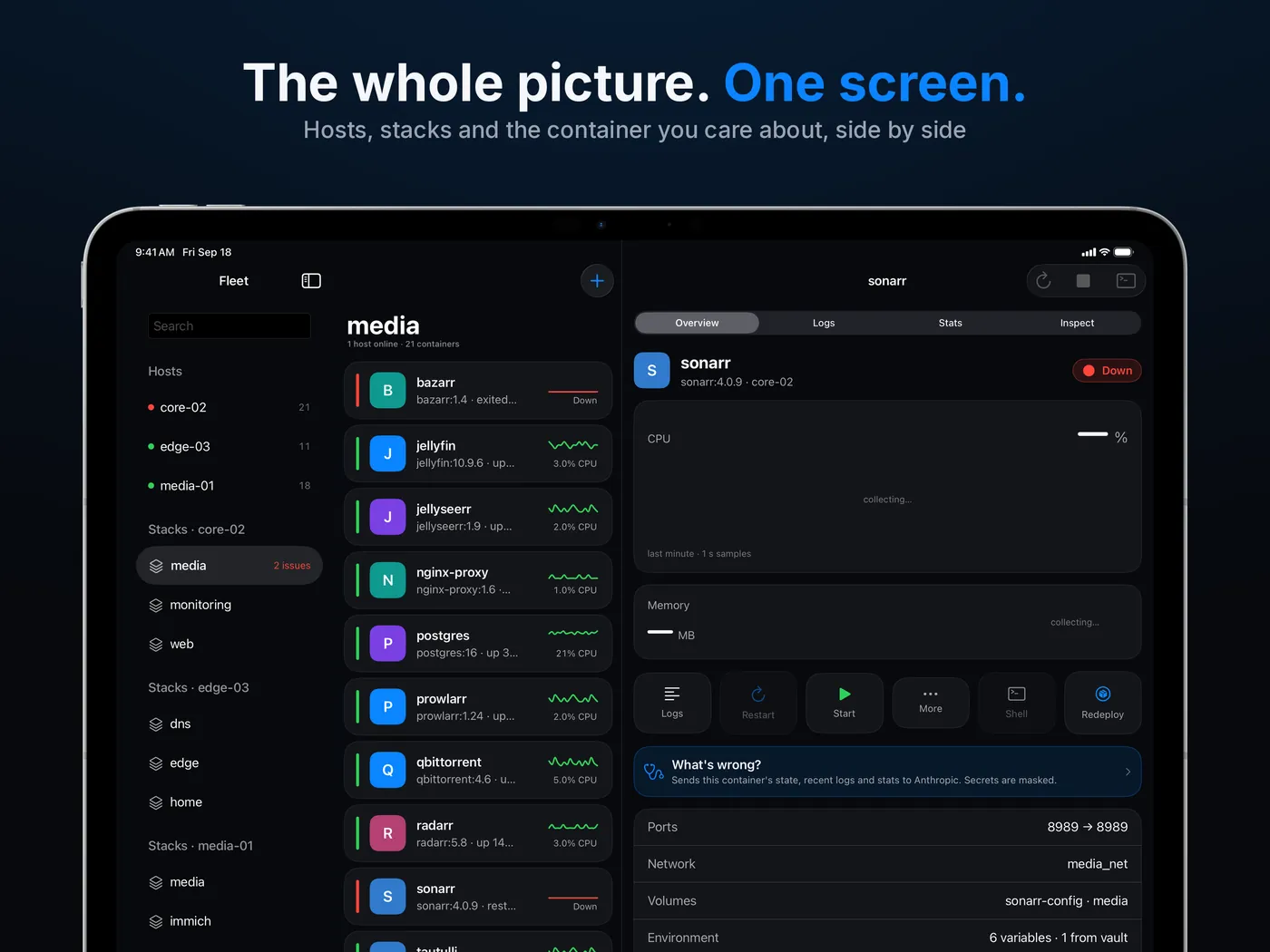
The whole picture, one screen.
Regular width becomes a cockpit: hosts and stacks on the left, containers in the middle, and the container you care about on the right.
Free and Pro
Free for one host.
meshDeck Pro adds every host you have and instant push alerts.
meshDeck
Free
- One host
- Every feature except instant push alerts
- No account, no ads
meshDeck Pro
Annual subscription
- Unlimited hosts
- Instant push alerts from every host
- The price is shown in the app before you subscribe
Questions
Straight answers.
Does my data go through your servers?
No. meshDeck connects from your phone straight to your hosts over Tailscale, SSH or HTTPS, and your keys stay in your iPhone's Keychain.
Two optional features do contact other services, and only when you switch them on: AI diagnosis sends a redacted bundle to the provider you chose, and Instant alerts use a small relay so a push notification can reach your phone. The Privacy Policy spells out both.
Do I need an account?
No. There is nothing to sign up for. Pro is bought through the App Store like any subscription.
What does meshDeck work with?
Docker hosts reached over SSH (including Tailscale SSH, where no key is needed), Portainer over HTTPS with an access token, and an advanced mode that drives the docker command line over SSH with sudo support.
Podman hosts too, 4.9 or later, on their own or beside Docker and rootful or rootless, over the same Docker-compatible API. Podman pods and Quadlets are not shown; see Podman hosts.
Do I need the Tailscale app?
No. meshDeck has a built-in Tailscale node, so a host on your tailnet can be reached without the Tailscale app. If you already use the Tailscale app, meshDeck works with it too.
What does the AI see?
Only what you allow, and only after you agree: container details and a recent slice of logs and stats, with secrets masked before anything leaves the phone. It never receives a vault value, and it cannot run a command. The details are on the Security page.
Is it affiliated with Docker, Portainer or Tailscale?
No. They are trademarks of their respective owners, and meshDeck is an independent app that works with them.
See your fleet in a minute.
Add a host, and every container on it is on your screen. No account, nothing to open on the host.