
Systems
Group stacks across hosts, then deploy, stop and start them as one.
A system is a set of stacks, on any of your hosts, that belong together, for example a database on one host and the app on another. It is a list stored on your phone. Nothing runs until you tap Deploy.
Open + → Systems… (or Deploy → Systems… on iPad).
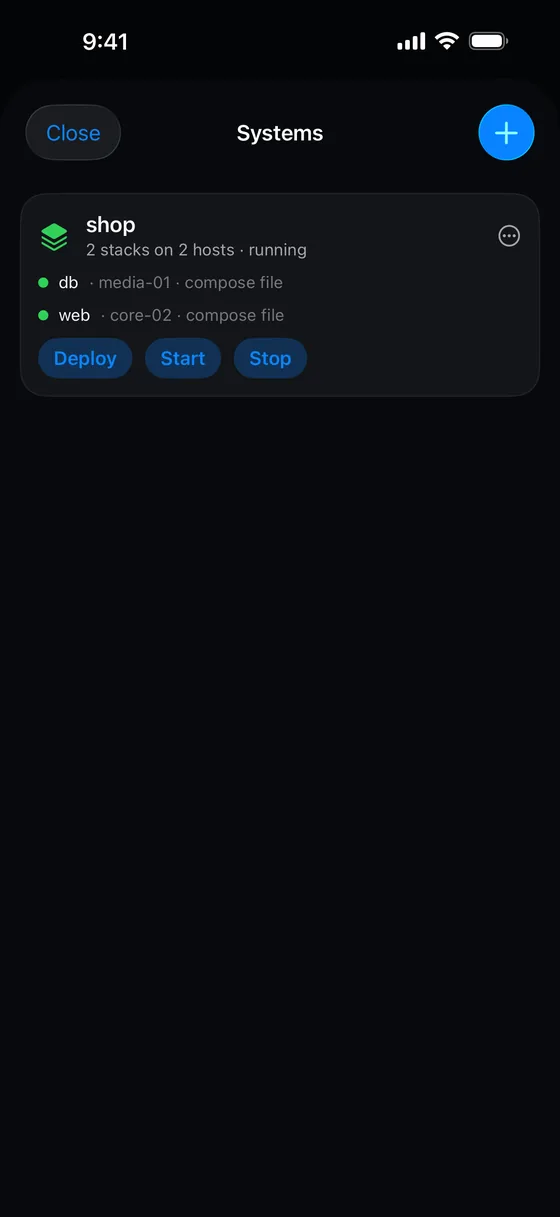 <figcaption>A system with its stacks and their status.</figcaption>
A system’s card
The card shows the system’s name and a summary such as “3 stacks on 2 hosts · running”. Each member row has a coloured dot (green active, blue deploying, amber stopped or unknown, grey not deployed), the stack name, and “<host> · <source>” where the source is a compose file, a Git repository, a template or a builder draft.
| Button | What it does |
|---|---|
| Deploy | Deploys the members in dependency order. A member whose stack already exists is skipped. |
| Stop / Start | Stops or starts each member’s stack. |
These buttons run immediately, without asking.
The … menu has Edit… and Remove…. Removing asks you to choose:
- Remove the stacks from every host runs
docker compose downon each host in reverse order. It does not delete volumes. - Forget the manifest only keeps everything running and drops only this phone’s record of the system.
Creating one
Tap New system, or use Save as system… on a stack, which makes a one-member system from it.
In the editor, give the system a Name and add Members. For each member choose:
- Where. A Host and a Stack name.
- Source. Template, Compose file, Git repository or Draft.
- Environment. Vault values are shared across the system by reference and resolved per host.
- Deploy after. Which other members this one waits for.
You can drag members to reorder them. They deploy in dependency order, and ties keep the order you set. Save is disabled if the name is blank, there are no members, or the dependencies form a loop.
Only hosts that can create stacks are offered, and a member’s host must be connected for the system to run.
Something missing or wrong? Tell us.